PHOTO & VIDEO GUIDE
Best Photos for an AI Rap Duo
Prepare two adult portraits for Make Rap Duo: clear framing examples, lighting, supported file formats and the 5 MiB limit for each photo.
Updated October 27, 2026 · Make Rap Duo
Choose one adult per image
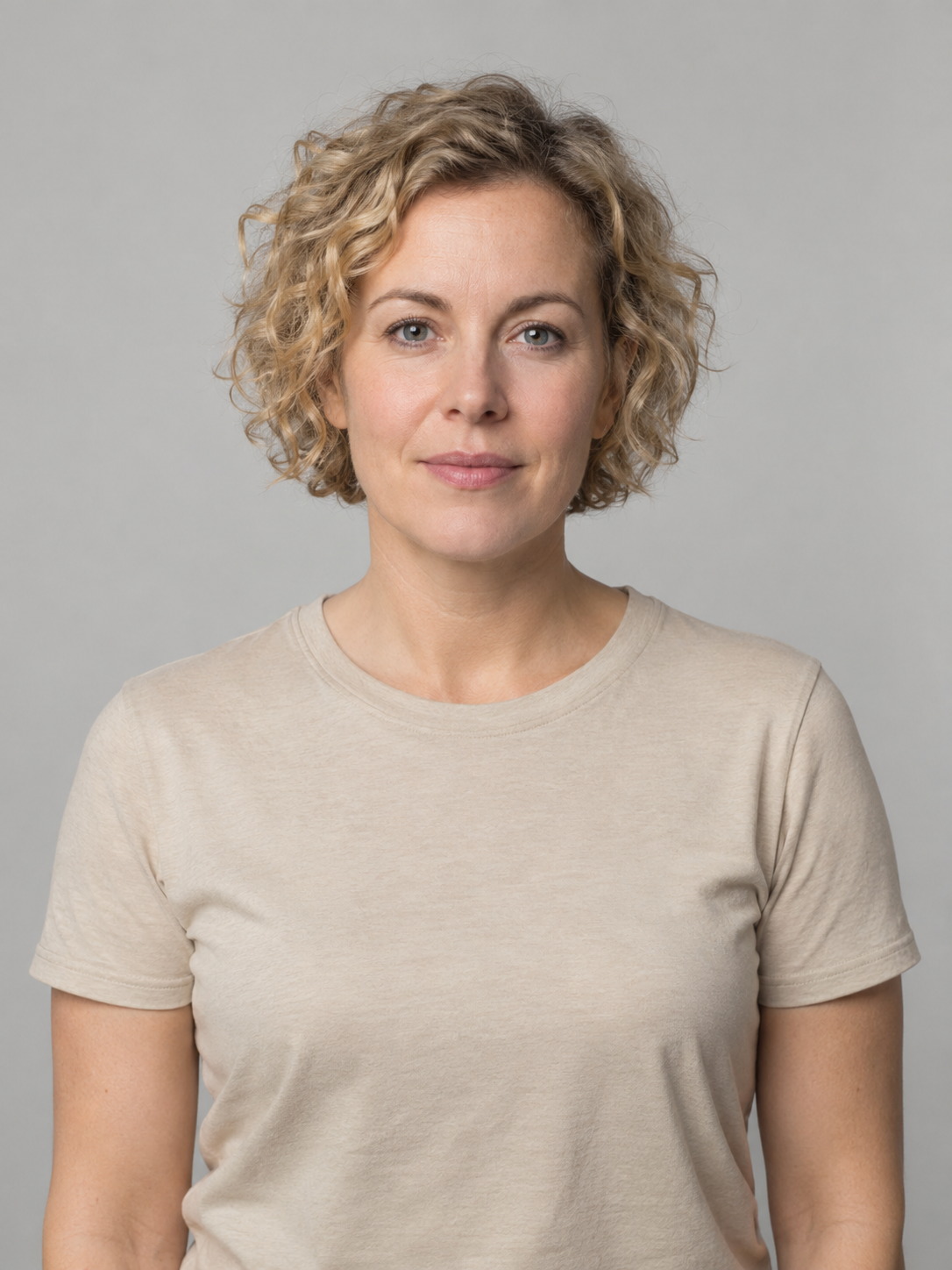
Start with two separate portraits: Person A goes in the first input, Person B in the second. A group photo, collage or image with both people is not the supported input for this version. The examples below are our existing fictional adult source images. They illustrate separate inputs; they are not customer portraits or evidence that every similar photo will produce the same likeness.

Keep the whole face in frame
Choose a photo where you can see the complete head and facial features without zooming far into the image. A portrait or upper-body photo is useful. Leave room around the head; avoid cutting through the eyes, mouth or chin. The comparison below deliberately changes only the displayed framing of the same example image. It demonstrates a visible input problem, not a measured difference between two AI results.
Prefer: whole face visible
Avoid: face cut out of frame
Use readable light and a straightforward angle
Look for enough even light to distinguish the eyes, nose and mouth. A front view or modest three-quarter angle is a sensible starting point. Avoid a face lost in shadow, strong backlighting, motion blur or a tiny person in a distant landscape. Two portraits do not need matching backgrounds: the generated performance uses the orange studio shown in the sample.
Remove avoidable obstructions
Prefer a picture without sunglasses, a mask, a hand across the mouth or another person crossing the face. Strong beauty filters and heavy retouching can obscure details. Changing the image does not guarantee a particular likeness, gesture or lip-sync result; choose a photo that represents the person clearly and judge the public example before purchasing.
Check the format and size
Each file must be JPG, PNG or WebP and no larger than 5 MiB. HEIC is not accepted by the form. Use your photo app’s export or conversion function to create a supported file; changing “.heic” to “.jpg” does not convert the image. If a photo exceeds the limit, export a smaller copy while keeping the face readable. Keep your original file separately.
Check both previews before continuing
After choosing the files, wait for both previews to appear. Verify that Person A and Person B are in the intended slots, then match any optional first names to those slots. A successful preview means the browser can read the image; it is not a face-quality score or a generated-video preview. If the form rejects a file, fix the indicated format, size or readability issue before proceeding.
Get permission before generating and sharing
Both people must be adults, agree to this AI performance and have authorized use of their photos. A private gift still needs the subjects’ permission. Agreement to make a video does not automatically mean agreement to post it publicly. Avoid portraits of strangers or requests to impersonate an artist. Your input choices stay in this browser until you explicitly generate.
A quick final check
Can you identify one adult in each preview? Are both faces fully visible? Are the files supported and within the size limit? Are the names matched correctly, and have both people agreed? If so, continue with the step-by-step guide. The output remains one 12-second orange-studio rap duo with original sound; uploading different photos does not select another scene or duration.
Questions before you create
Does a higher-resolution photo guarantee a better result?
No. Clear framing and a readable face are practical input checks, not a quality guarantee. AI identity, motion and pronunciation can vary even with clear photos.
Can I upload a child or a pet?
This Make Rap Duo version is for two consenting adults. These guides do not describe a child or pet generation option.
Ready to make your duo?
Watch the sample with sound, prepare your two portraits, then open the photo form.
Add your two photos