PHOTO & VIDEO GUIDE
Can You Upload One Group Photo, or Do You Need Two Separate Portraits?
No single group photo upload is supported today. MakeRapDuo requires two separate portraits—one consenting adult in Photo A (left microphone) and one in Photo B (right microphone). If your only picture has both people together, crop two separate JPG, PNG or WebP portraits up to 5 MiB each before uploading.
Published · Updated November 15, 2026 · MakeRapDuo
Why two separate slots prevent mixed faces
Putting two people into a single image forces an upload workflow to guess who should take Verse 1 and who belongs on the left or right microphone. MakeRapDuo separates the inputs: Photo A drives the left performer and Photo B drives the right performer. Using one clear face per slot keeps both roles distinct before you spend $6.99.
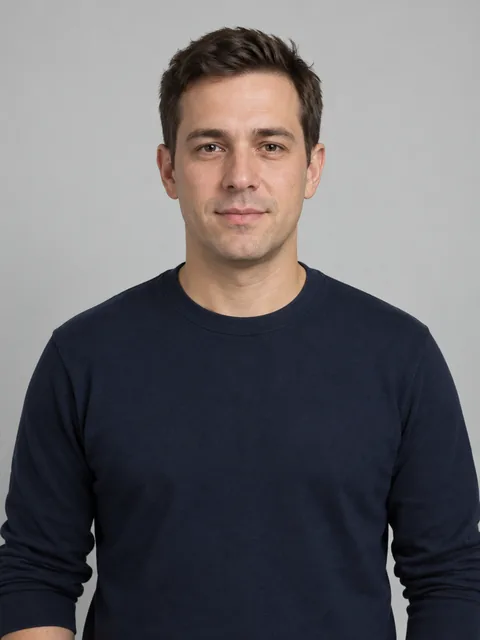
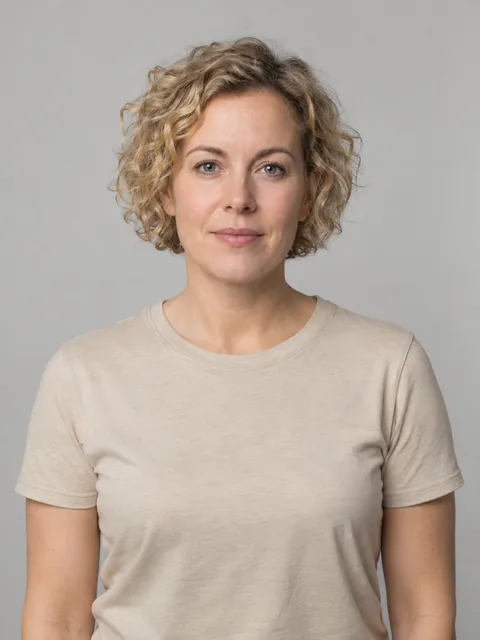
Crop cleanly without cutting off either face
If your best photo is a couple selfie or friend snapshot together, crop two separate upper-body frames rather than uploading the combined picture. Leave breathing room above the head and below the chin so eyes and mouth remain sharp. Avoid cropping so tightly that a shoulder, hat brim or second person’s hair overlaps the face.
Prefer: whole face visible
Avoid: face cut out of frame
How to split a two-person photo in four quick steps
Follow the steps below on your phone or desktop photo editor before opening the MakeRapDuo form. Checking both local previews in the browser is free and takes under a minute.
Duplicate the original photo twice
Keep your original file untouched and create two working copies—one for Person A and one for Person B.
Crop one clear adult portrait per file
Center each person’s full head and upper shoulders with readable lighting and no second face peeking in from the edge.
Export as JPG, PNG or WebP under 5 MiB
Avoid renaming .heic files manually; export a real JPEG, PNG or WebP copy under 5 MiB for each slot.
Match first names and previews before paying
Check that Photo A matches Name A and Photo B matches Name B, and confirm both adults agree to the AI performance.
When a cropped group photo is not enough
If both faces in the original snapshot are tiny, heavily shadowed, blurry or partly covered by a hand or sunglasses, cropping will only enlarge the blur. In that case, pick two separate solo portraits instead—they do not need matching backgrounds because MakeRapDuo places both performers on the same orange studio stage.
Check names, consent and output limits
Optional English first names (up to 40 characters each) and an occasion (up to 160 characters) steer the lyrics for the 12-second, 720 × 1280 vertical video. Both people must be consenting adults, and you need permission to use their photos. Compare workflow options if you specifically need multi-person group shots without splitting portraits.
Questions before you create
Can I upload one photo with two people in both slots?
Do not upload the same uncropped two-person photo into both slots. Crop each person into a separate image showing only that adult so Person A and Person B stay distinct.
Do both portraits need the same background or lighting?
No. Both performers are placed in MakeRapDuo’s fixed orange recording studio, though clear, even lighting on each face helps preserve facial details.
What image formats and file sizes work best?
Use JPG, PNG or WebP files up to 5 MiB per portrait. Export HEIC photos from iPhone as JPEG before uploading.
Does cropping guarantee identical likeness or lip sync?
No. Clear separate portraits improve input readability, but AI likeness, pronunciation and lip sync can still vary.
Ready to make your duo?
Watch the sample with sound, prepare your two portraits, then open the photo form.
Add your two photos